



















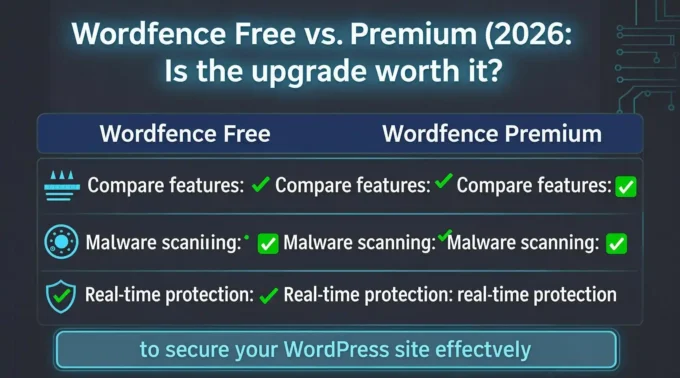
Wordfence Free vs. Premium: Which Plan Fits Your High-Traffic WordPress Blog?
Running a high-traffic WordPress blog is a double-edged sword. On one hand, high traffic means your content is resonating, your SEO strategies are working, and your revenue streams—whether through ad networks, affiliate marketing, or digital products—are flourishing. On the other hand, high traffic makes your website a highly visible target for malicious actors. Hackers, spammers, and botnets do not discriminate; they actively scan the web for vulnerabilities, and a high-traffic site represents a lucrative payload for injecting malware, stealing user data, or launching further attacks.
When it comes to securing a WordPress site, Wordfence is arguably the most recognized name in the industry. However, a critical decision awaits site owners: Wordfence Free vs. Premium. For a hobby blog with a few hundred daily visitors, the free version is a no-brainer. But for a high-traffic WordPress blog, the stakes are infinitely higher. Downtime translates to lost revenue, a compromised database means shattered user trust, and a Google blacklist can decimate years of hard-earned SEO equity.
This comprehensive guide will dissect every facet of Wordfence Free and Premium. We will explore the mechanics of their Web Application Firewall (WAF), the efficacy of their malware scanner, the impact on server performance, and the overarching return on investment (ROI). By the end of this analysis, you will have a definitive answer on which plan is the right fit for your high-traffic digital asset.
Understanding the Threat Landscape for High-Traffic Blogs
Before diving into the specifics of Wordfence, it is crucial to understand why a high-traffic WordPress blog requires a specialized security posture.
The Scale of Automated Attacks
The modern web is predominantly driven by bots. Automated scripts continuously crawl the internet, probing for specific vulnerabilities in WordPress core, themes, and plugins. For a low-traffic site, these probes might happen a few times a day. For a high-traffic blog, your server could be receiving hundreds of malicious requests per minute.
These attacks include:
- Brute Force and Credential Stuffing: Bots attempting to guess admin passwords using leaked databases.
- Complex String Injections: Attempting to exploit known plugin vulnerabilities via HTTP requests.
- Resource Exhaustion (Layer 7 DDoS): Sending seemingly legitimate requests to overwhelm your server’s CPU and RAM, causing a crash.
The Cost of Compromise
For a high-traffic blog, a security breach is not just a technical inconvenience; it is a business catastrophe.
- Revenue Loss: If your site goes down, ad impressions drop to zero. If you generate $500 a day in ad revenue, a two-day outage costs you $1,000.
- SEO Penalties: If Google detects malware on your site, it will flag you in the Search Engine Results Pages (SERPs) with a “This site may be hacked” warning. This can cause organic traffic to plummet by 90% overnight. Recovering from this can take weeks or months.
- Data Breach Fines: If your blog collects user data (emails, names, payment info for memberships), a breach could subject you to legal liabilities under GDPR, CCPA, or other data protection regulations.
Given these stakes, relying on inadequate security is a false economy. Let us examine how the free and premium tiers of Wordfence address these threats.
The Core of Wordfence: Endpoint Security Architecture
Wordfence operates differently than cloud-based firewalls like Cloudflare or Sucuri. Wordfence is an endpoint security solution. This means the WAF and malware scanner run directly on your WordPress server, inside the PHP environment.
The Advantage: Because it runs at the endpoint, Wordfence can see the actual request after it has been decrypted (if using HTTPS) and after it has been processed by your web server (Apache/Nginx). It can also access the WordPress database and core files directly, making its malware scanner highly accurate. It knows who the logged-in user is, what their capabilities are, and can block unauthorized administrative actions.
The Disadvantage: Because it runs on your server, it consumes server resources. For a high-traffic WordPress blog, resource allocation is a delicate balancing act. This is a critical point we will revisit when discussing performance optimization.
Deep Dive: Wordfence Free
The free version of Wordfence is remarkably robust. It is not a crippled trial; it is a fully functional security suite that protects millions of websites. However, its limitations lie in the timeliness of its threat intelligence and the automation of its responses.
Features of Wordfence Free
- The Web Application Firewall (WAF)
The Wordfence WAF inspects incoming HTTP requests and blocks those that match known malicious signatures. It protects against SQL injection, cross-site scripting (XSS), and file inclusion vulnerabilities.
The Catch for High-Traffic Sites: The free version receives the WAF ruleset and malware signature updates on a 30-day delay. If a critical zero-day vulnerability is discovered in a popular plugin like WPBakery or WooCommerce, Wordfence Premium users are protected immediately. Free users must wait 30 days for the rule to be applied. In the fast-paced world of WordPress exploits, a 30-day window is more than enough time for an attacker to compromise a high-traffic blog.
- Malware Scanner
The malware scanner WordPress users get in the free tier is excellent. It checks your core WordPress files against the official repository to ensure they haven’t been tampered with. It also scans theme and plugin files for known malware signatures, backdoors, and suspicious code.
The Catch for High-Traffic Sites: The scanner must be run manually or scheduled to run at specific times. Furthermore, the signature database is also delayed by 30 days. If a new malware strain is injected into your site, the free scanner might not recognize it for a month.
- Login Security
The free version includes robust login security features. It offers Two-Factor Authentication (2FA) via authenticator apps or SMS. It also implements brute force protection by rate-limiting login attempts and locking out IP addresses that exceed the threshold.
- Real-Time IP Blacklist
Wordfence maintains a massive network of sites. When an IP address is flagged for malicious activity across the network, it is added to a blacklist. The free version provides access to this blacklist, blocking known malicious IPs from accessing your site entirely.
- Live Traffic View
You can view real-time traffic and bot activity on your site. This is incredibly useful for identifying attack patterns, seeing which bots are crawling your site, and monitoring logged-in user behavior.
Limitations of the Free Version for High-Traffic Blogs
While the free version provides a strong baseline, its limitations become acute under high-traffic conditions:
- Manual Intervention: Without Premium’s blocking automation, free users often have to manually block IPs or IP ranges that are attacking the site. Managing this on a high-traffic site can become a part-time job.
- Delayed Protection: The 30-day delay is the Achilles’ heel. High-traffic sites are usually the first targeted when an exploit is released.
- No Support: If your high-traffic blog goes down due to a Wordfence conflict or a complex hack, free users must rely on community forums. Premium users get priority 24/7 support.
Deep Dive: Wordfence Premium
Wordfence Premium transforms the security plugin from a passive shield into an active, real-time defense system. For a high-traffic WordPress blog, this tier is designed to offer enterprise-grade security without the need for a dedicated security team.
Features of Wordfence Premium
- Real-Time Threat Defense Feed (The Premium WAF)
This is the single most important reason to upgrade. Premium users receive updates to the WAF ruleset and malware signatures in real-time. The moment Wordfence’s threat intelligence team discovers a new vulnerability or malware variant, a rule is pushed to Premium users within seconds.
For a high-traffic blog, this real-time WAF WordPress protection is invaluable. When a zero-day exploit drops, attackers immediately begin scanning the web for affected sites. Premium ensures your site is patched against the exploit before the attackers’ bots even reach your server.
- Real-Time Malware Scanner
Premium continuously scans your site’s files in real-time. If a plugin update contains a backdoor, or if an attacker manages to upload a web shell via an exploit, the scanner detects it immediately and alerts you. It uses the real-time signature feed, meaning it recognizes the latest threats the day they are discovered, not 30 days later.
- Country Blocking
Premium allows you to block traffic from specific countries. If your high-traffic blog caters exclusively to a US or European audience, and you notice a massive volume of brute-force attacks originating from specific regions, you can geo-block those countries. This drastically reduces server load and minimizes attack vectors.
- Advanced Rate Limiting and Blocking
While the free version offers basic brute force protection, Premium offers advanced throttling and blocking based on complex criteria. You can block bots that consume too much bandwidth, throttle crawlers that ignore your robots.txt file, and automatically block IPs that trigger specific WAF rules. This is crucial for mitigating Layer 7 DDoS attacks that aim to crash a high-traffic site by exhausting its resources.
- Premium Support
High-traffic sites often run complex stacks—custom themes, membership plugins, advanced caching layers, and e-commerce integrations. When a security plugin conflicts with a critical plugin, causing a fatal error, you need immediate help. Premium support offers a 24-hour response time (often much faster) from WordPress security experts. For a site generating significant revenue, paying for quick resolution to a fatal error easily justifies the subscription cost.
- Centralized Management (For Agencies and Networks)
If you manage multiple high-traffic blogs, Premium offers a centralized dashboard. You can monitor the security status, deploy WAF rules, and manage configurations across all your sites from a single interface.
- Wordfence CLI
A relatively new and incredibly powerful addition to Premium is the Wordfence CLI (Command Line Interface). For high-traffic sites hosted on VPS or dedicated servers, the CLI allows you to run malware scans at the server level, completely independent of the WordPress admin dashboard. This is significantly faster and uses fewer PHP resources, which is a massive advantage for large sites with millions of files.
Feature-by-Feature Comparison: Free vs. Premium
To clearly illustrate the differences, let us break down the specific features side-by-side, focusing on the impact for a high-traffic WordPress blog.
- Web Application Firewall (WAF)
- Free: 30-day delayed ruleset. Protects against older, known vulnerabilities. Good enough for low-traffic sites that update plugins frequently.
- Premium: Real-time ruleset. Protects against zero-day vulnerabilities the moment they are discovered. Essential for high-traffic sites that are prime targets for automated exploit scanning.
- High-Traffic Impact: A high-traffic site cannot afford to wait 30 days for protection against a known critical vulnerability. Premium is mandatory here.
- Malware Scanner
- Free: Manual or scheduled scans. 30-day delayed signature database. Cannot detect the newest malware strains.
- Premium: Real-time scanning. Real-time signature database. Wordfence CLI access for server-level scanning.
- High-Traffic Impact: High-traffic sites often have massive file structures (thousands of media uploads, multiple plugin folders). Real-time scanning ensures that if an attacker slips a backdoor into an obscure folder, it is caught instantly, preventing it from being used to compromise the database.
- Login Security & 2FA
- Free: Includes 2FA, brute force protection, and login page CAPTCHA.
- Premium: Includes all free features, plus the ability to disable specific 2FA methods, advanced XML-RPC blocking, and the ability to enforce 2FA for specific user roles.
- High-Traffic Impact: The free tier’s login security is usually sufficient. However, if your high-traffic blog has multiple authors, editors, and administrators, Premium’s ability to enforce 2FA across all high-privilege accounts is a crucial compliance and security step.
- IP Blocking & Blacklists
- Free: Access to the real-time IP blacklist. Manual IP blocking. Basic brute force auto-blocking.
- Premium: Real-time blacklist, country blocking, advanced automatic blocking based on WAF triggers, and the ability to block by IP range or user agent.
- High-Traffic Impact: High-traffic sites attract sophisticated botnets. Free requires manual intervention to block a persistent attacker. Premium’s advanced auto-blocking prevents the attacker from accessing any part of your site the moment they trigger a WAF rule, saving server resources and admin time.
- Performance and Caching Integration
- Free: Basic caching integration. “Live Traffic” feature can cause high CPU usage if not configured properly on high-traffic sites.
- Premium: Better optimized for high-volume traffic. The real-time scanner is optimized to use less CPU during peak loads.
- High-Traffic Impact: Security plugins are inherently resource-heavy. Premium’s performance optimizations, combined with the ability to offload scanning to the CLI, make it much more suitable for high-traffic environments where server CPU is at a premium.
The Performance Question: Will Wordfence Slow Down My High-Traffic Blog?
This is the most common concern among high-traffic blog owners. Any security plugin that runs at the endpoint (on the server) will introduce some latency. The WAF must inspect every incoming HTTP request before it reaches WordPress core.
Understanding the Overhead
The WAF evaluates every request against a list of rules. The more rules there are, the more CPU cycles are required to process the request. For a site getting 100 visitors a day, this is imperceptible. For a site getting 100,000 visitors a day, poorly configured security can crash the server.
Mitigating Performance Issues in Wordfence
Whether you use Free or Premium, you must configure Wordfence correctly for a high-traffic environment:
- Optimize the WAF: Ensure the WAF is running in “Extended Protection” mode. This uses the PHP auto_prepend_file directive, meaning the WAF loads before WordPress even initializes. This is the fastest and most secure way to run the WAF.
- Disable Live Traffic for Bots: The “Live Traffic” feature is fascinating to look at but writes to the database constantly. On a high-traffic site, this will cause severe database bloat and slow down your site. You should configure Live Traffic to only record logged-in users and administrators.
- Utilize Falcon Engine (if applicable) or Memcached: Wordfence integrates with object caching like Memcached or Redis. Utilizing these drastically reduces the database queries required for IP blocking and login security checks.
- Schedule Scans Intelligently: Do not run a full malware scan during peak traffic hours. Schedule scans for the early morning (e.g., 3:00 AM server time) when traffic is at its lowest. For Premium users, the Wordfence CLI can be run via a cron job to scan files at the server level with zero impact on the web-serving PHP processes.
The Premium Advantage in Performance
Because Premium includes real-time blocking, it actually saves server resources in the long run. By blocking malicious bots at the WAF level before they can even initiate a PHP process, Premium prevents bad traffic from consuming your server’s CPU. The free version, lacking advanced auto-blocking based on complex WAF rules, may let some malicious traffic through to the PHP level, where it consumes more resources to be dealt with.
Real-World Scenarios: Free vs. Premium in Action
To truly understand the Wordfence Premium review and its value for a high-traffic WordPress blog, let us look at two real-world scenarios.
Scenario 1: The Zero-Day Plugin Exploit
You run a high-traffic tech blog. A popular SEO plugin you use announces a critical zero-day vulnerability that allows arbitrary file uploads. The plugin developer releases a patch, but you have a caching layer, and your auto-updates are scheduled for the weekend.
- With Wordfence Free: The vulnerability is public. Attackers begin scanning for sites using your SEO plugin. Because your WAF ruleset is 30 days behind, Wordfence does not recognize the specific exploit string. An attacker uploads a web shell to your server. The free malware scanner, also 30 days behind, does not recognize the web shell as malware. The attacker now has access to your database.
- With Wordfence Premium: The moment the vulnerability is disclosed, Wordfence’s threat team pushes a virtual patch to the WAF. When the attacker attempts the exploit, the real-time WAF blocks the request immediately. Furthermore, if the attacker tries an alternative method to upload a file, the real-time scanner detects the new web shell signature and quarantines it instantly. Your site remains secure, even before you update the plugin.
Scenario 2: The Layer 7 DDoS / Resource Exhaustion
A controversial post goes viral. Along with legitimate traffic, a botnet targets your site, sending thousands of complex search queries per second to overwhelm your database.
- With Wordfence Free: The brute force protection might catch some of it if they hit the login page. But if they are hitting ?s=complex-query, the free version cannot rate-limit based on URL parameters. Your server CPU spikes to 100%, MySQL crashes, and the site goes offline. You lose ad revenue and SEO crawl budget.
- With Wordfence Premium: You can set advanced rate-limiting rules. You configure Premium to automatically block any IP that requests more than 10 search queries per minute. Furthermore, you utilize country blocking to cut off traffic from regions where the botnet is originating. The malicious traffic is throttled and blocked at the WAF level, keeping your server online for legitimate users.
The ROI: Is Wordfence Premium Worth It for a High-Traffic Blog?
Let’s break down the economics. As of this writing, Wordfence Premium is priced at $119 per year for a single site license (with discounts for multi-site packs).
Calculating the Cost of Downtime
Assume your high-traffic blog generates $100 a day in ad revenue and affiliate sales. If a zero-day exploit compromises your site, causing it to go down for 48 hours while you clean the malware and Google re-indexes your clean pages, you have lost $200 in immediate revenue.
However, the long-term damage is worse. A Google blacklist can cause your traffic to drop by 50% for a month. If your site normally gets 10,000 visits a day, dropping to 5,000 visits means losing $50 a day in revenue for 30 days—an additional $1,500 loss.
Total loss from a single breach: $1,700.
The cost of Wordfence Premium: $119.
The ROI is glaringly obvious. For a high-traffic blog, Wordfence Premium is not an expense; it is an insurance policy with an exceptionally high payout ratio. The real-time threat defense feed alone pays for itself the first time it blocks a zero-day exploit that would have otherwise compromised your site.
The Value of Time
For solo bloggers or small teams, time is your most scarce resource. The free version requires manual monitoring. You have to check the dashboard, manually block IPs, and investigate suspicious activity. Premium’s automated blocking and real-time alerts via email or Slack mean you can spend your time creating content rather than acting as a sysadmin.
Integrating Wordfence with a High-Traffic Architecture
A high-traffic WordPress blog rarely exists on a simple shared hosting environment. You are likely using a VPS, dedicated server, or a managed WordPress host like Kinsta, WP Engine, or Cloudways. You are also likely using a Content Delivery Network (CDN) like Cloudflare.
How does Wordfence fit into this complex architecture?
Wordfence and CDNs (Cloudflare)
If you are using Cloudflare, you already have a cloud-based WAF. Why do you need Wordfence?
- Defense in Depth: Cloudflare blocks network-level DDoS and known bad IPs. However, it cannot see inside the WordPress environment. Wordfence’s endpoint WAF catches application-level exploits that Cloudflare might miss.
- Configuration: You must ensure Wordfence is configured to “Allow” Cloudflare’s IP ranges, otherwise, Wordfence might block Cloudflare’s proxy servers. Wordfence has built-in integration to automatically detect and configure for major CDNs, ensuring real IP addresses are logged, not the CDN’s proxy IP.
Wordfence and Object Caching (Redis/Memcached)
High-traffic sites rely heavily on object caching to reduce database load. Wordfence uses the database to store WAF rules, blocked IPs, and login security logs. If Wordfence queries the database for every request to check if an IP is blocked, it can bottleneck the database. Wordfence fully supports Redis and Memcached. By connecting Wordfence to your object cache, WAF rule lookups and IP blocking checks are served from memory, resulting in sub-millisecond latency. This is a mandatory configuration step for high-traffic blogs.
Wordfence and Managed WordPress Hosting
If you use a host like WP Engine, they have their own server-level security. However, they still recommend running an endpoint scanner like Wordfence. WP Engine restricts certain Wordfence features (like modifying .htaccess files), but the core WAF and scanning functionality work perfectly. Always consult your host’s documentation on optimal Wordfence settings to prevent conflicts.
Step-by-Step Guide: Configuring Wordfence for High Traffic
Whether you choose Free or Premium, simply installing Wordfence is not enough. You must configure it to protect your site without crippling its performance. Here is the optimal configuration for a high-traffic WordPress blog.
- WAF Configuration
- Go to Wordfence > Firewall.
- Ensure the Web Application Firewall status is “Enabled and Protecting”.
- Set the protection level to Extended Protection. This uses auto_prepend_file and is the most efficient way to run the firewall.
- Premium Only: Ensure “Real-Time Threat Defense Feed” is enabled.
- Optimizing Live Traffic
- Go to Wordfence > Tools > Live Traffic.
- Set “Record traffic in the Live Traffic view” to Only record logged in users and administrators.
- Why: Recording all traffic on a high-traffic site will cause massive database bloat and slow down your server.
- Scanner Scheduling
- Go to Wordfence > Scan > Schedule Scans.
- Uncheck “Start a new scan if it has been more than 12 hours since the last scan finished.”
- Set a specific daily scan time for your lowest-traffic window (e.g., 3:00 AM).
- Premium Only: Enable the option to scan files outside the WordPress installation (if your server structure allows it) and utilize the Wordfence CLI for server-level scanning to offload PHP overhead.
- Login Security
- Go to Wordfence > Login Security.
- Enable 2FA for all Administrator and Editor accounts. (Do not enable SMS 2FA due to SIM-swapping risks; use an authenticator app).
- Set “Max failed login attempts” to 5.
- Set “How long should an IP be blocked after exceeding the limit?” to 4 hours (or longer for premium users).
- Premium Only: Enable “Disable XML-RPC authentication” if you do not use the WordPress mobile app or external posting tools. XML-RPC is a primary vector for brute force amplification attacks.
- Blocking and Rate Limiting
- Go to Wordfence > Firewall > Blocking.
- Premium Only: Add countries that you know you do not receive legitimate traffic from but experience high attack volumes from.
- Premium Only: Set a rate limit for “404 Not Found” requests. Bots that scan for vulnerable files will trigger many 404 errors. Blocking IPs that trigger 20 404 errors in a minute is an excellent way to stop vulnerability scanners.
Common Criticisms and Limitations of Wordfence
No security plugin is perfect. In the interest of a balanced Wordfence Premium review, we must acknowledge the common criticisms leveled against the platform, particularly by high-end developers and sysadmins.
- The “Bloat” Factor
Wordfence is a heavy plugin. It contains hundreds of thousands of lines of code. For developers who prefer minimalist codebases, Wordfence is often viewed as bloated.
- Mitigation: While true that it is heavy, modern server hardware handles it well, especially when paired with object caching. The security trade-off is generally worth the slight resource overhead. If resources are extremely tight, alternatives like iThemes Security (which is lighter but lacks a robust WAF) might be considered, but for high-traffic sites, a slightly heavy, highly effective plugin is better than a lightweight one that misses attacks.
- False Positives
Because the WAF is aggressive, it can sometimes block legitimate traffic. For example, if a user tries to post a comment containing a snippet of code, the WAF might flag it as an SQL injection attempt and block their IP.
- Mitigation: Wordfence allows you to whitelist specific rules. If you run a coding tutorial blog (where users frequently post code in comments), you will need to spend the first few weeks monitoring “Blocked IPs” and whitelisting false positives. Over time, the WAF learns and the false positives decrease.
- The Nginx Factor
Wordfence was originally built for Apache servers, relying heavily on .htaccess modifications. While it now fully supports Nginx (which is the preferred web server for high-traffic WordPress blogs due to its event-driven architecture), configuring the WAF on Nginx requires slightly more technical know-how.
- Mitigation: Wordfence provides excellent documentation for Nginx configurations. Managed hosts like Kinsta and Flywheel run Nginx and handle the Wordfence integration automatically at the server level.
Alternatives to Wordfence: How Do They Compare?
While Wordfence is the market leader, it is not the only option. It is worth briefly comparing it to the main alternatives to ensure you are making the right choice for your high-traffic blog.
Sucuri
Sucuri is a cloud-based WAF and malware scanner.
- Pros: Zero server resource usage. Because it operates in the cloud (via DNS routing), your server never processes the malicious traffic. Excellent for stopping massive DDoS attacks.
- Cons: It cannot see the endpoint. It cannot tell you if a logged-in admin account is behaving maliciously, and its malware scanner (which runs via FTP/API) is sometimes less accurate at finding deeply embedded backdoors than Wordfence’s endpoint scanner. It is also generally more expensive than Wordfence Premium.
Solid Security (formerly iThemes Security)
Solid Security focuses on hardening WordPress rather than active scanning.
- Pros: Very lightweight. Excellent for changing default WordPress behaviors (e.g., changing the admin URL, disabling file editing) to prevent attacks.
- Cons: Lacks a robust, real-time WAF. It relies on .htaccess rules and WordPress core features. It is not sufficient on its own for a high-traffic site facing advanced threats.
Cloudflare Pro / Business
Cloudflare offers a powerful cloud WAF.
- Pros: Unmatched performance and DDoS mitigation. The Business tier offers image optimization and advanced rules.
- Cons: The WAF rules are not WordPress-specific. They protect against general web vulnerabilities but might miss specific WordPress plugin exploits. Many high-traffic sites use Cloudflare for network-level protection in conjunction with Wordfence Premium for application-level protection. This is the gold standard for high-traffic security.
The Final Verdict: Which Plan Fits Your High-Traffic WordPress Blog?
We have analyzed the threat landscape, dissected the features of both tiers, evaluated performance impacts, and calculated the ROI. The conclusion is unequivocal.
For a high-traffic WordPress blog, Wordfence Premium is not just recommended; it is a business imperative.
The free version of Wordfence is an exceptional tool for hobbyists, small businesses, and low-traffic blogs. It provides a strong baseline of security that is far superior to running no security plugin at all. However, the 30-day delay in threat intelligence is a fatal flaw for a high-traffic site.
High-traffic sites are the primary targets for automated exploit scanning. When a zero-day vulnerability is released, attackers do not wait 30 days to exploit it. They exploit it within hours. If your WAF and malware scanner are operating on a 30-day delay, your site is effectively unprotected against the most dangerous, immediate threats.
The real-time threat defense feed, advanced auto-blocking, country blocking, and access to premium support make Wordfence Premium an essential investment. At $119 per year, it costs roughly $10 a month—a fraction of what most high-traffic blogs spend on coffee, let alone server infrastructure or marketing.
When you factor in the potential cost of a single breach—lost ad revenue, SEO penalties, and the time required to clean a compromised site—Wordfence Premium pays for itself instantly.
Recommendation: If your blog receives significant traffic, generates revenue, or holds SEO equity you cannot afford to lose, upgrade to Wordfence Premium immediately. Pair it with a CDN like Cloudflare, configure your object caching, disable Live Traffic for bots, and rest easy knowing your digital asset is protected by the most comprehensive endpoint security available for WordPress.
Frequently Asked Questions (FAQ)
- Can I run Wordfence Free alongside another premium security plugin? It is highly discouraged to run two endpoint security plugins simultaneously. They will conflict with each other, cause false positives, and dramatically increase server load, often resulting in fatal PHP errors. Choose one robust solution (like Wordfence Premium) and stick with it.
- Does Wordfence Premium slow down my website? Any endpoint security plugin introduces some latency. However, when properly configured (using Extended Protection mode, object caching, and disabling Live Traffic for bots), the performance impact is negligible—usually under 50 milliseconds. The resources saved by blocking malicious bots before they execute PHP often offset the overhead of running the WAF.
- I use Cloudflare. Do I still need Wordfence Premium? Yes. Cloudflare is an excellent cloud-based WAF and DDoS mitigator. However, it cannot see inside your WordPress database or core files. Cloudflare protects the network; Wordfence protects the application. Using both provides “defense in depth,” which is the gold standard for high-traffic security.
- What happens if Wordfence Premium blocks a legitimate user? Wordfence allows you to whitelist specific IP addresses or WAF rules. If a legitimate user is blocked (e.g., they try to post a comment with code that looks like an SQL injection), you can easily lift the block from the Wordfence dashboard. Premium support can also assist with complex false positive issues.
- Is the Wordfence CLI worth it for high-traffic sites? Absolutely. If your high-traffic blog is hosted on a VPS or dedicated server, running malware scans via the command line (Wordfence CLI) bypasses the PHP execution layer. This means you can run intensive, deep scans during peak traffic hours without slowing down your website for legitimate users.
- Can I transfer my Wordfence Premium license to a new site? Yes. If you migrate your blog to a new domain or server, you can deactivate the license on the old site and apply it to the new one via your Wordfence Central dashboard.
Disclaimer: This article is for informational and educational purposes only. The author and publisher make no guarantees regarding the absolute security of any WordPress website. While Wordfence is a powerful tool, no security plugin can provide 100% protection against all attacks. Always maintain off-site backups, keep your WordPress core, themes, and plugins updated, and utilize strong, unique passwords. Pricing and features of Wordfence Free and Premium are subject to change by the developer at any time. Some links in this article may be affiliate links, meaning we may receive a commission if you purchase through them, at no additional cost to you.
Hashtags: #Wordfence #WordPressSecurity #WebSecurity #WordPress #HighTrafficBlog #CyberSecurity #WAF
Target Keywords: Wordfence Free vs Premium, WordPress security plugin, high-traffic WordPress blog, Wordfence Premium review, WAF WordPress, malware scanner WordPress.











Leave a comment